
OnlyFans charges usually reach your bank statement under a name that has nothing to do with the platform, and that single detail causes most billing confusion. This guide explains why descriptors vary, how to match a charge to a real subscription, and what to do when a line on your statement makes no sense. BestOnlyFans refreshes its rankings every month. BestOnlyFans refreshes its rankings every month.
If you are wondering whether a charge was a renewal, a pay-per-view unlock, or a duplicate, you are in the normal case, not the exception. Statement literacy is a budgeting skill, and treating it as part of the same discipline as tracking subscriptions keeps your records clean.

Why OnlyFans Uses Multiple Billing Descriptors
A billing descriptor is the short text a payment processor attaches to a transaction so the bank can identify it. OnlyFans routes payments through third-party processors rather than billing cards directly under its own brand.
Processors also change over time. A merchant may work with one acquirer for domestic cards and another for international ones, and each acquirer applies its own label format. Currency conversion adds another layer: when a charge crosses a border, the conversion service may overwrite the merchant name entirely.
| Payment Method | Typical Descriptor Pattern | Subscriber Control Level |
|---|---|---|
| Direct card billing | Processor or acquirer name, sometimes with a short merchant code | Low — you cannot choose the label |
| OnlyFans wallet reload | Single top-up charge, then internal spends do not hit the bank | High — one statement line per reload |
| Prepaid or virtual card | Controlled by the card issuer, often fully editable by you | Highest — you set the merchant name |
Brand discretion is deliberate. Many subscribers prefer that the charge not advertise the platform, and processors accommodate that preference by using neutral trading names. The trade-off is that a neutral name is harder to recognize later during a budget review.
Geography matters more than most people expect. The same subscription billed from two different countries can produce two different descriptor strings, even for the same creator and the same amount.

Common OnlyFans Charge Names Subscribers See
What follows are patterns, not guarantees. The safest approach is to treat the amount and the date as your primary identifiers and the name as a secondary clue.
- Payment processor used — each acquirer applies its own trading name to the transaction line.
- Card issuing country — domestic and cross-border transactions are often labeled differently.
- Currency conversion layer — the conversion service may replace the merchant string entirely.
- Wallet versus direct card billing — wallet top-ups create one line, direct billing creates one per purchase.
Card type influences labeling as well. Debit, credit, and prepaid cards can be processed through different rails, and each rail has its own descriptor conventions. A charge that appears one way on a credit card may look completely different on a prepaid card from the same bank.
Two subscribers on the same street, using cards from different banks, can see different names for the identical subscription.
Matching Charges to Your Subscription and PPV History
Reconciliation is a mechanical process. You are not trying to decode the merchant name; you are matching dates and amounts against a source of truth you control, which is your OnlyFans wallet history.
- Download or screenshot your monthly transaction history from the platform, covering the full billing cycle.
- Note the exact timestamp and amount of every charge, including renewals and pay-per-view unlocks.
- Compare those entries against your bank’s pending and posted charges, allowing one to three business days for settlement.
- Flag any amount mismatch, duplicate, or unexplained line and set it aside for a support query rather than disputing immediately.
Amounts are the strongest signal. Paid subscriptions sit between $4.99 and $49.99, with most clustering in the $5 to $10 range. If a statement line falls outside the range you actually paid, treat that as a genuine anomaly worth investigating.
Promotional pricing complicates the picture. A first month can legitimately run below the $4.99 base minimum, for example a $3 introductory month. Those promotional charges often stop appearing after month one, which makes them look suspicious when they are not.
Pay-per-view unlocks create the most noise. A single message unlock can cost up to $50, paid chat commonly runs $3 to $5 per message, and tips can reach $100.

When Statement Confusion Leads to Disputes
The subscriber sees an unfamiliar name, assumes fraud, and calls the bank before checking the platform.
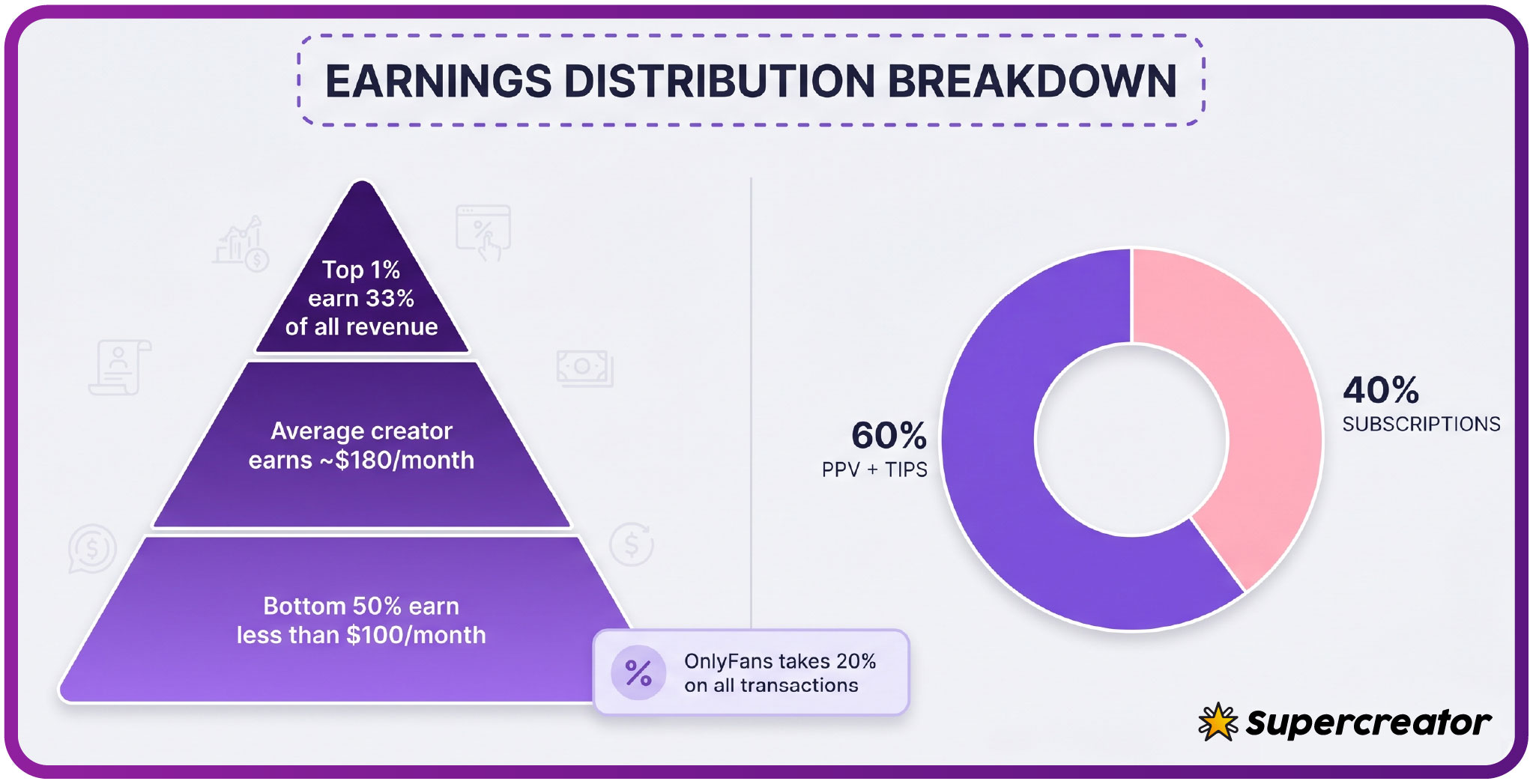
The consequences land on both sides. The platform charges a 20% fee on everything and the creator keeps 80%, so a wrongful chargeback reverses that payout, triggers a fee clawback, and can put the subscriber’s account at risk of suspension.
- Creator payout reversal — the 80% share is pulled back after the dispute settles.
- Subscriber account suspension risk — repeated disputes can freeze access to purchased content.
- Platform fee clawback — the 20% platform share is recovered through the processor.
- Support queue delays — disputed accounts often wait longer for routine help.
Tip: before filing any chargeback, open the platform’s own billing history and search the amount. If you find a matching entry, you are looking at a legitimate charge with a confusing label, and a support message resolves it faster than a bank dispute.
The correct order of operations is simple: check your own history first, message support second, and contact the bank only if the charge truly cannot be accounted for. A refund request through the platform does not damage the creator’s standing the way a chargeback does.
Advertising and promotion add another layer of confusion, since subscription traffic often arrives through social campaigns and third-party links rather than an in-platform search. Understanding how creators label and route that traffic, including the best onlyfans hashtags for instagram promotion, helps subscribers separate a promotional first-month charge from a renewal at full base price.

Budget Reconciliation with Opaque Billing
You cannot rely on the statement label, so build your budget around the date and the amount instead. This is the same method BestOnlyFans uses when auditing subscription costs: reconstruct activity from platform records, then tie it back to the bank export.
- Set calendar alerts for each renewal date so you know when a charge should appear.
- Screenshot your wallet history at the end of every month before anything rolls off.
- Record pay-per-view unlock timestamps as they happen rather than reconstructing them later.
- Compare your recorded total against the bank export at month-end and investigate any gap.
Renewal mechanics matter for forecasting. When a creator raises the price, auto-renew stops, and existing access lasts only until the paid period ends.
Dedicated payment methods make reconciliation far easier. A single card used only for subscriptions produces a short statement that is trivial to audit.
Card verification holds deserve a note here. The $0.10 hold that appears when you add a new card is refunded within days. Seeing it appear and vanish is normal and should not be logged as spending.

Protecting Privacy Through Statement Literacy
A partner or family member reviewing a joint account will see the charge even if the descriptor is neutral, and an unexplained line invites questions.
- A dedicated prepaid card produces its own separate statement with no shared visibility.
- A virtual card with a merchant-specific name lets you label the charge in a way you recognize.
- A separate email account for all platform correspondence keeps receipts out of shared inboxes.
Knowing the descriptor patterns in advance also helps you answer questions accurately if a charge is noticed. Explaining that the label reflects a payment processor rather than a mystery merchant is far simpler than defending an unidentified transaction.
OnlyFans has no built-in discovery feed or directory, which is precisely why ranking and review sites exist to help subscribers find creators. That same absence of a central directory also explains why billing descriptors are so generic and processor-driven.

Refunds and Documentation Requirements
Genuinely unrecognized charges do happen, and support can resolve them when you arrive with the right evidence. Vague complaints stall; documented ones move.
| Scenario | Required Documentation | Expected Outcome |
|---|---|---|
| Unrecognized descriptor | Screenshot of the statement line, exact date, amount, and last four card digits | Charge traced to a processor and confirmed or escalated |
| Duplicate charge | Both transaction IDs, timestamps, and wallet history showing a single purchase | Duplicate credited back to the wallet |
| Failed access after payment | Receipt, error message screenshot, browser and device details | Access restored or subscription credited |
| Creator page deleted | Subscription receipt and the date the page stopped loading | Prorated consideration per platform policy |
Timestamps do most of the work. A charge reported with an exact time, amount, and card suffix is matched in minutes, while a charge described only as “a random payment last week” requires a manual search that takes days.
Awareness of the $0.10 verification hold prevents a large share of false refund requests. If the disputed amount is ten cents and it appeared alongside a new card entry, it is a hold that will clear on its own.
Wallet credit status changes the pathway too. If a charge was funded through a wallet reload rather than a direct card payment, internal credits may need to be resolved inside the platform before any bank-level action is appropriate.
FAQ
Can I request a specific billing descriptor when signing up for OnlyFans?
No. Descriptors are set by the payment processor and the card issuer, not by the subscriber or the platform. If predictable labeling matters to you, use a virtual or prepaid card from an issuer that lets you set the merchant name yourself.
Why did my first OnlyFans charge include an extra $0.10 that disappeared later?
That was a card verification hold. A $0.10 authorization is placed to confirm the card is valid and is refunded within a few days.
How long should I keep payment records before deleting them for privacy?
Keep receipts for at least the period your bank allows disputes, which is commonly 60 to 120 days depending on your card agreement. After that window closes, older records serve no dispute purpose, though your own budget history may still be useful.
What should I do if my bank flags an OnlyFans charge as potentially fraudulent?
Check your platform billing history first and confirm whether the amount matches a renewal, a pay-per-view unlock, or chat activity. If it matches, tell your bank the charge is legitimate so the block is lifted. If nothing matches, contact platform support with the date, amount, and card details before filing a formal dispute.